How Maritime Navigation Simulators Support STCW Training?

Written By: Computer Science Professor
Deeply rooted in the R&D of simulators for the oil and gas industry, committed to bringing safety to every oil worker.
For maritime colleges and professional training centers, when choosing STCW training navigation simulators, it is not enough to merely consider whether the bridge equipment is advanced. What is more important is whether the simulator can reproduce the actual operation scenarios that trainees need to practice and provide effective monitoring and evaluation tools for instructors.
Therefore, when evaluating navigation simulators, one should focus on training objectives, operation scenarios, instructor control and evaluation functions, rather than just hardware specifications.
What Does STCW Training Require from a Navigation Simulator?
The International Convention on Standards of Training, Certification and Watchkeeping for Seafarers (STCW Convention) sets international standards for seafarer training, certification and watchkeeping. It includes mandatory competency standards, and training and assessment based on simulators must also meet requirements such as training objectives, authenticity, instructor control and assessment.
For navigation training, the simulator should enable trainees to demonstrate practical skills in scenarios close to actual ship operations. According to the training plan, these skills may include:
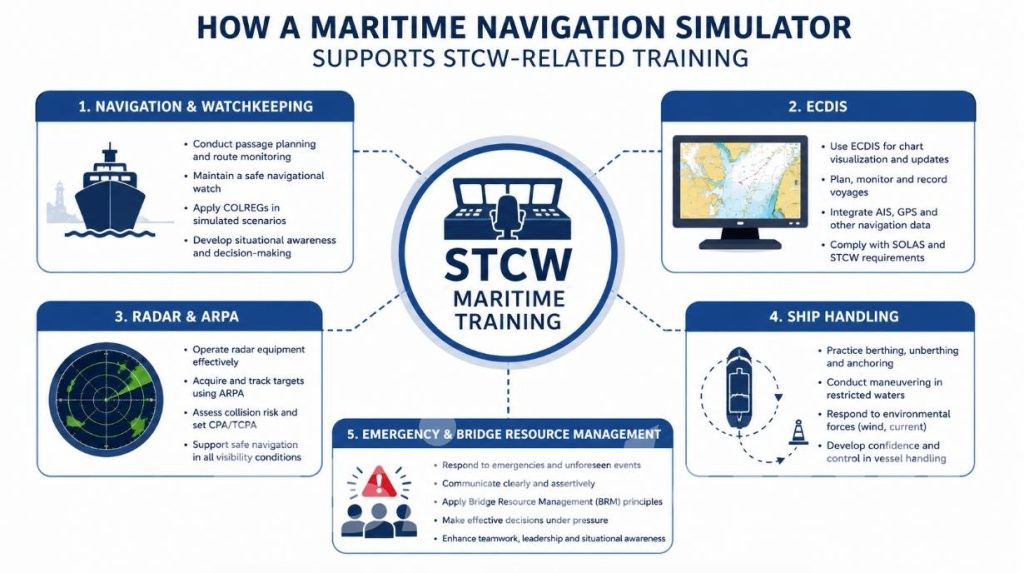
- Navigation and watchkeeping
- Electronic Chart Display and Information System (ECDIS) and electronic navigation
- Radar and Automatic Radar Plotting Aid (ARPA) operation
- Collision avoidance
- Ship handling
- Port entry and exit
- Berthing and unberthing
- Emergency and abnormal situation handling
- Bridge Resource Management (BRM)
The key point is not whether the simulator is equipped with ECDIS, radar, etc., but whether trainees can integrate and use these systems and make decisions in real operational scenarios.
What Makes a Navigation Simulator Suitable for STCW Training?
An effective STCW training simulator should integrate various navigation functions with real ship tasks.
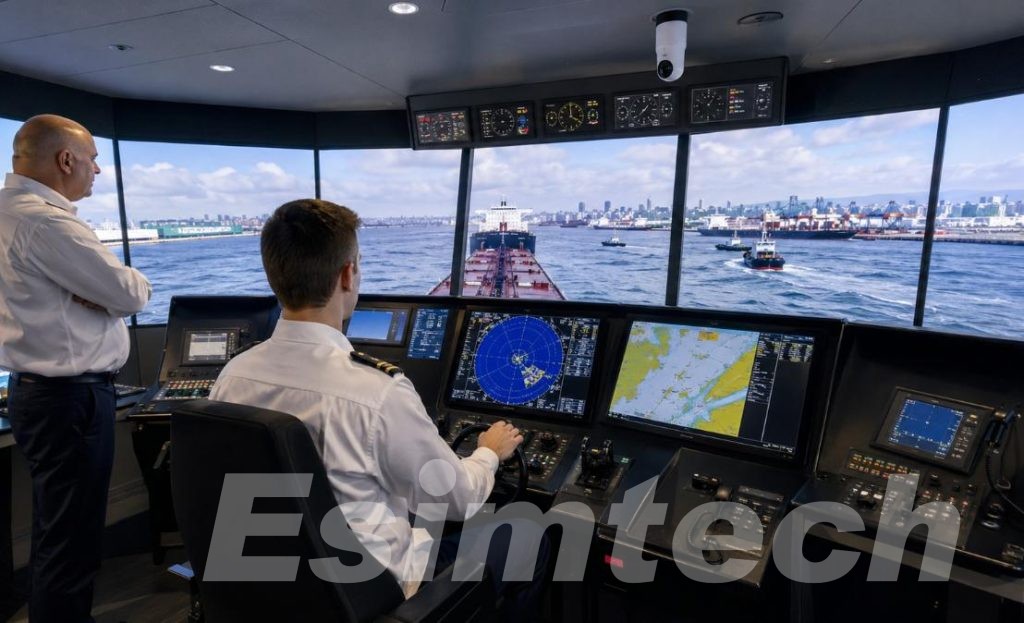
Navigation and Electronic Chart Display and Information System (ECDIS) training should enable trainees to plan and monitor voyages, interpret navigation information, and maintain situational awareness. Integrating ECDIS, GPS, AIS, and other bridge systems can provide a more realistic training environment.
Radar, ARPA, and collision avoidance training require more than just simulating radar screens. Trainees should be able to encounter multiple vessels, monitor developments, assess targets, and make appropriate navigation decisions. Realistic traffic scenarios make these exercises more meaningful.
Ship handling training is another important consideration. The simulator can provide opportunities to practice entering and leaving ports, navigating in restricted waters, berthing, departing, anchoring, and operating with tug assistance – operations that may be difficult to repeat frequently on a real ship. For example, ESIMTECH’s navigation simulator supports these ship handling scenarios, as well as different weather, visibility, wind, current, and sea conditions.
Finally, the system should support instructor-led exercises and performance evaluations. The IMO guidelines emphasize that when using simulators for training, training objectives should be clearly defined, the training process should be monitored, and effective post-training assessment and summary should be conducted.
How Should a Maritime Training Center Choose a Simulator?
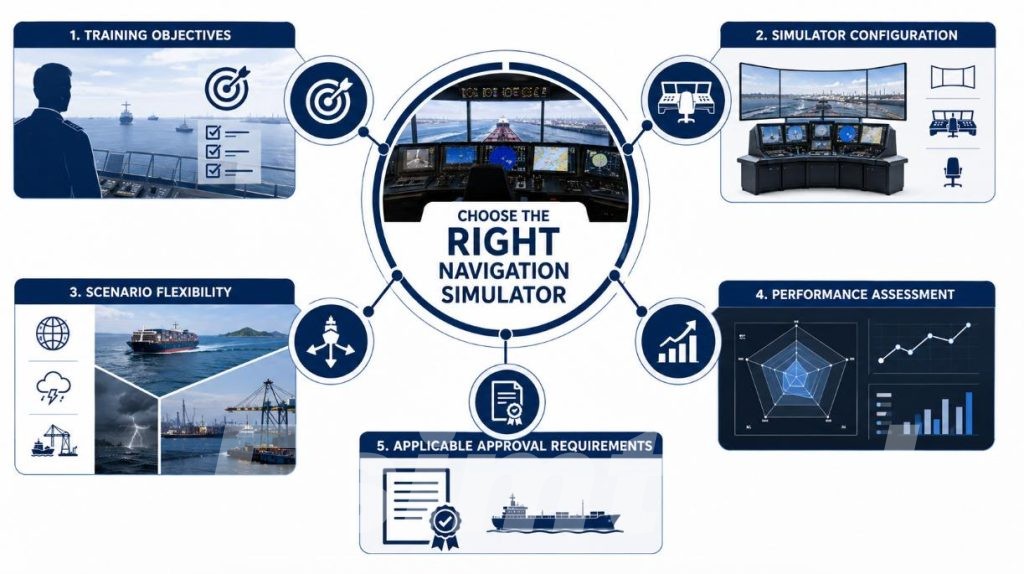
Before comparing simulator models or vendors, the training manager should first clarify the following practical issues.
- Which skills need to be developed?
This will determine whether the system should focus on supporting ECDIS and radar training, or cover a broader range of ship operations and bridge team drills.
- Is equipment-specific training required or comprehensive training?
Some task simulators are suitable for specific equipment training, while full-task bridge simulators can integrate navigation, ship handling, traffic, communication, and emergency scenarios into the same training.
- Can instructors create realistic training scenarios?
If conditions such as ships, ports, traffic, weather, and visibility can be adjusted, the simulator can adapt to different courses and the levels of trainees.
- Can trainees’ performance be evaluated?
Recording, playback, evaluation, and analysis functions can help instructors review decisions and performance after training, rather than relying solely on on-site observation.
- What are the approval requirements?
The training institution should confirm the requirements of relevant maritime authorities, courses, and certification frameworks. STCW does not mean that simulators with similar equipment configurations are suitable for all training or assessment purposes. The International Maritime Organization also clearly states that training and assessment institutions need to be supervised by the relevant member state authorities.
Putting It into Practice: STCW Training with a Navigation Simulator
When multiple skills need to be applied simultaneously, the value of the navigation simulator becomes even more evident. For example, a trainee is preparing to drive a ship into a busy port.
From Passage Planning to Port Approach
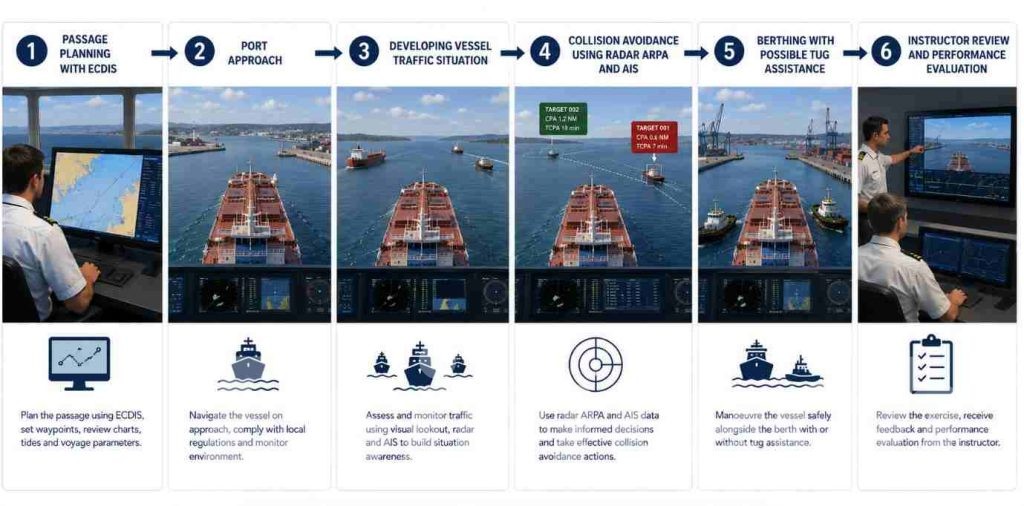
The practice can begin before the ship sets sail. The trainee views the planned route on the Electronic Chart Display and Information System (ECDIS), checks the navigation information, and considers the surrounding traffic conditions and environmental factors.
As the ship approaches the port, the situation becomes more complex. The trainee must simultaneously use radar, ARPA, AIS, and visual information to maintain awareness of the surrounding environment. The trainee cannot simply follow the pre-planned route but needs to continuously assess the situation around the ship.
When the Situation Changes
The instructor can introduce a changing traffic situation – for example, another ship is approaching in a direction that may conflict with the trainee’s ship’s route.
At this point, the trainee must make a decision, not just operate the instruments. The trainee needs to assess the constantly changing situation, consider the ship’s navigation and surrounding traffic conditions, and take appropriate actions while ensuring safe navigation.
The instructor can also adjust visibility, wind force, water flow, or other environmental conditions to make the practice closer to the actual challenges of maritime operations.
From Navigation to Ship Handling
After entering the port, the focus shifts from route monitoring to ship handling. The trainee may need to navigate in restricted waters, adjust speed and course, and prepare for berthing.
If the practice includes tug assistance, the trainee can also practice coordinating operations under conditions that are difficult to simulate repeatedly on a real ship.
Review After the Exercise
After the ship safely docks, the training does not have to end.
The recorded simulation data allows the instructor and the trainee to review after the practice. They can view navigation decisions, ship movement, traffic conditions, communication, and other aspects of the trainee’s performance.
Such practice shows that the maritime navigation simulator is not just a collection of cockpit instruments. Its true value lies in integrating navigation, decision-making, ship handling, and teamwork on the bridge into a controllable training environment.
For STCW-related training, this ability to reproduce real operational situations and review the trainee’s performance can help training institutions build more structured and repeatable practical exercises.
ESIMTECH Navigation Simulator
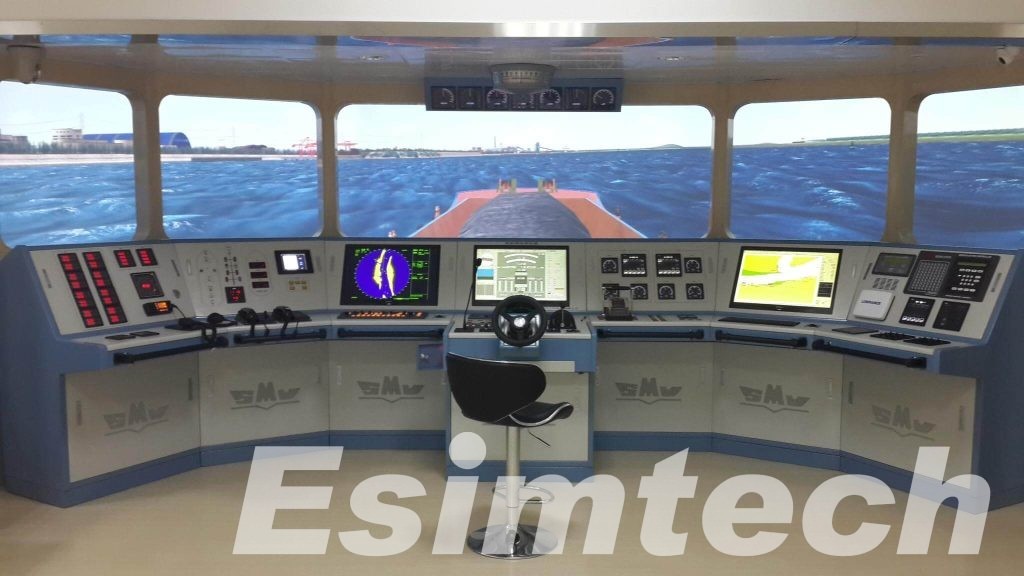
For maritime colleges and training centers that require a comprehensive training platform, the ESIMTECH navigation simulator integrates ECDIS, GPS, ARPA radar, automatic tracking, communication, ship maneuvering, collision avoidance, emergency training, bridge resource management (BRM), as well as recording and performance evaluation functions.
Therefore, when choosing a simulator, one should not first look at the model or specifications, but rather should first clarify the content that trainees need to practice, how instructors organize and evaluate training, and the certification requirements that the training program needs to meet.